Response speed
Time from inquiry received to reviewed intake packet, consultation scheduling, or declined-matter routing.
Legal use case
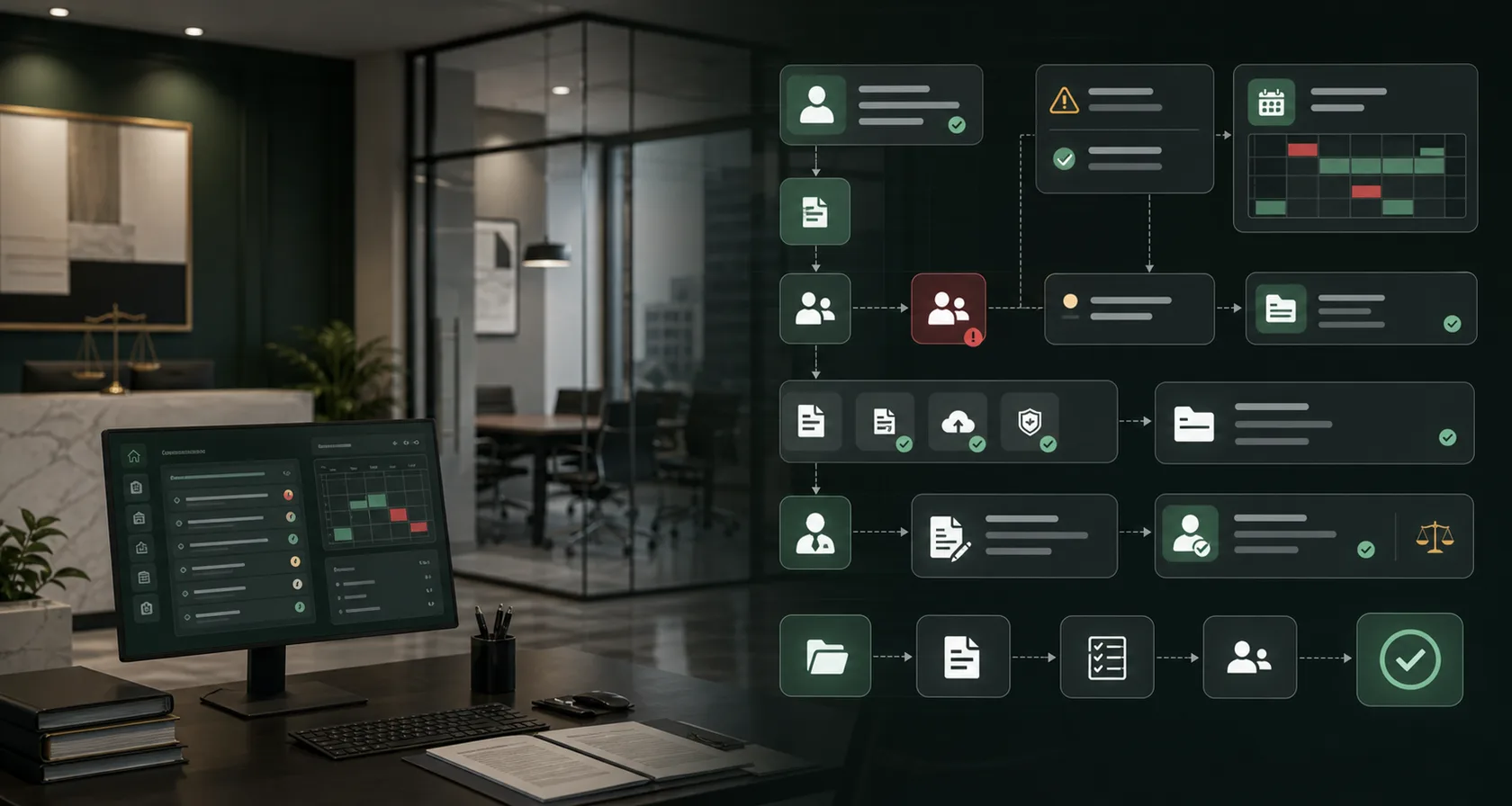
Build law firm client intake AI workflow automation for lead capture, conflict-check preparation, document collection, consultation routing, attorney approval, and ROI reporting.
Search intent
Client intake gets messy when inquiries, documents, consultation notes, deadlines, matter type, opposing-party details, and conflict context arrive across forms, email, calls, and shared folders.
Workflow design
The first project should be narrow, measurable, and tied to a clear approval boundary.
Capture inquiry context: Collect matter type, parties, jurisdiction, deadlines, documents, referral source, consultation notes, and missing intake fields.
Prepare conflict review: Organize opposing parties, related entities, prior contacts, matter category, and risk notes for reviewer approval.
Route matter opening: Draft internal intake summaries, document requests, consultation tasks, calendar holds, and owner assignments.
Measure intake quality: Report inquiry response time, packet completeness, conflict-review cycle time, staff touches, and attorney corrections.
Systems involved
The implementation plan starts by identifying source systems, owners, permissions, and the exact handoff AI is allowed to prepare.
ROI signals
Ranking the first workflow by ROI makes the page useful for buyers and clearer for search engines.
Time from inquiry received to reviewed intake packet, consultation scheduling, or declined-matter routing.
Missing parties, documents, deadlines, contact details, jurisdiction notes, and conflict-review context surfaced before attorney review.
Manual lookups, document requests, calendar checks, and intake follow-ups reduced before consultation.
FAQ
Short answers for teams deciding whether this AI workflow is worth scoping.
AI can prepare intake packets, flag missing information, draft follow-up tasks, and organize conflict-review context, but engagement decisions and legal advice should remain attorney-reviewed.
Common systems include intake forms, email, phone notes, document storage, practice management software, calendar tools, CRM, and conflict-check records.
Track inquiry response time, packet completion rate, conflict-review cycle time, staff touches, consultation scheduling, and the correction rate on AI-prepared summaries.
Services
Use-case research should connect to implementation support: workflow consulting, build scope, approval guardrails, and ROI validation.
AI workflow automation consulting for businesses that need workflow mapping, AI agent implementation, human approval guardrails, and measurable ROI reporting.
Workflow implementationAI Workflow Automation ImplementationAI workflow automation implementation for businesses ready to turn one mapped workflow into AI agents, integrations, approval queues, launch support, and ROI reporting.
Automation guardrailsAI Automation GuardrailsDesign AI automation guardrails for business workflows with approval rules, source evidence, audit logs, permissions, fallback handling, and exception queues.
ROI auditAI Workflow ROI AuditAI workflow ROI audit for businesses that need to identify the first automation pilot, estimate value, rank workflows, and avoid low-ROI AI projects.
Pricing path
The buying path should match the evidence available: start with consultation when the workflow is unclear, use an ROI audit when cost or readiness is uncertain, and move to a guarded pilot only when the owner, data, approvals, and baseline metrics are ready.
Implementation plan
We will review your current tools, map the approval boundary, and recommend whether this workflow is worth implementing first.