Client intake
Capture lead details, documents, consultation notes, and missing information.
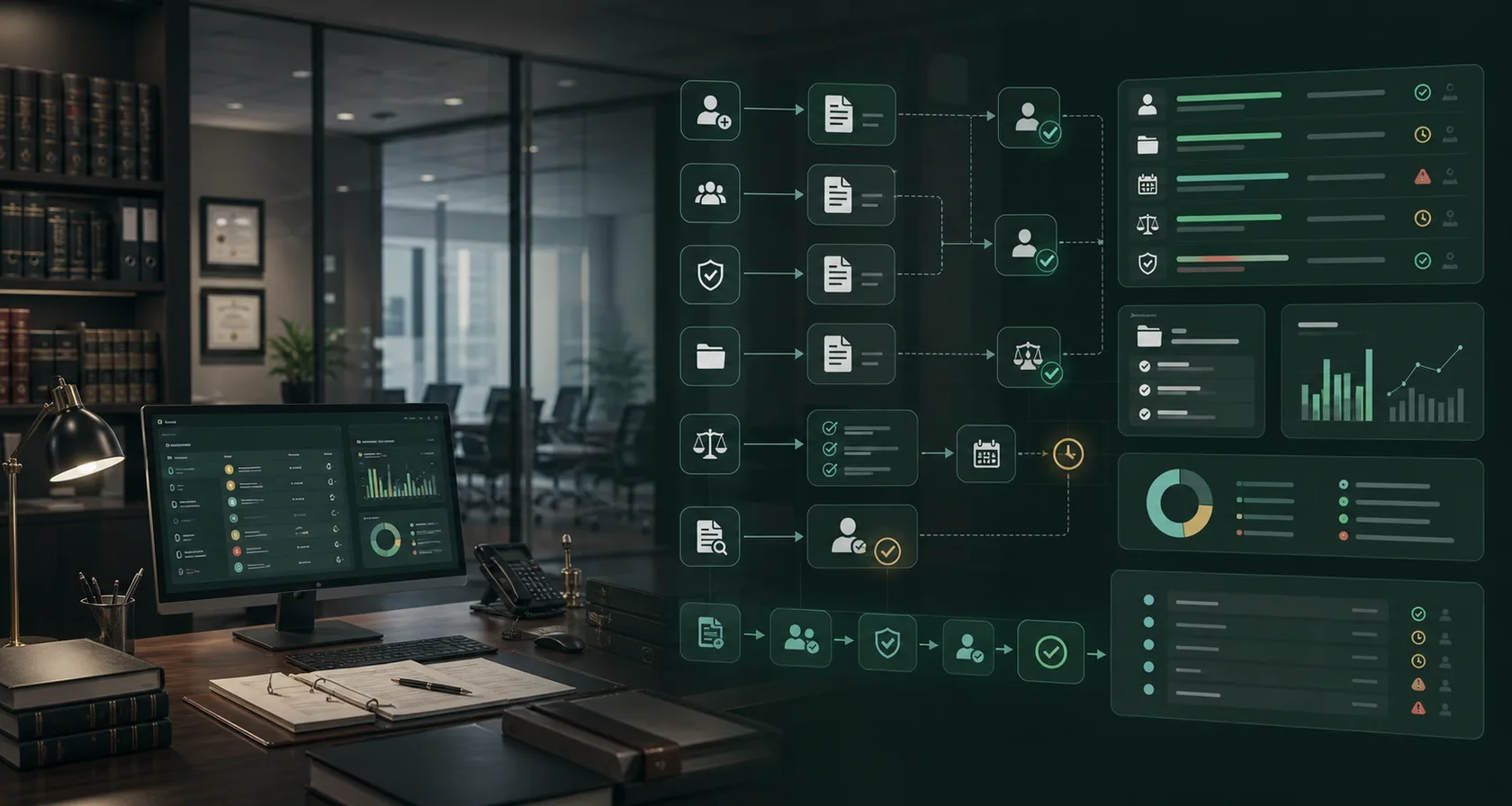
Legal operations
Automate law firms: client intake, conflict checks, matter opening, document review, deadline tracking, attorney approval, ROI, and pricing.
Matter operations
The legal page feels like a matter-control surface: conflict checks, privileged context, source documents, deadline risk, and attorney review are visible before automation expands.
Capture lead details, documents, consultation notes, and missing information.
Prepare conflict context and route risky matters before engagement.
Extract clauses, deadlines, entities, and review flags with source links.
Hold client-facing advice, filings, redlines, and matter decisions for review.
Owner problem
Legal automation works best when it prepares repeatable operational work instead of replacing legal judgment. The first pilot should improve intake, review, routing, or deadline visibility while preserving attorney control.
Prepare new-client context, consultation notes, required documents, and conflict-review packets before attorney review.
Extract clauses, parties, dates, risk flags, and source references so attorneys review a cleaner queue.
Client advice, filings, redlines, privilege-sensitive work, engagement decisions, and deadlines stay attorney-approved.
How we help
Map matter flow: Document where intake, conflict checks, document requests, review queues, deadlines, and client messages get delayed.
Prepare review packets: Use AI to gather context, summarize documents, flag missing facts, draft internal notes, and cite source records.
Preserve attorney control: Require review for legal advice, filings, redlines, engagement language, deadlines, and confidentiality-sensitive communication.
Example case
The first implementation should be narrow enough to launch quickly and important enough to prove ROI. This example shows the kind of workflow we would validate during the consultation.
Problem: A firm loses time when leads, consultation notes, documents, deadlines, and potential conflict details arrive across forms, email, calls, and shared drives.
Automation: AI assembles intake details, flags missing facts, prepares conflict-review context, drafts internal notes, and routes the packet to the right reviewer.
Guardrail: Engagement decisions, legal advice, conflict conclusions, client-facing language, and filing deadlines remain attorney-reviewed.
ROI model
Legal AI workflow ROI should show up as cleaner matter operations, not a claim that AI replaces professional judgment.
Time from new inquiry to reviewed intake packet, consultation-ready file, or declined matter routing.
Attorney or paralegal time spent finding parties, dates, clauses, missing documents, and source evidence.
Open tasks, filing dates, client follow-ups, owner assignment, and overdue exceptions surfaced before risk grows.
AI-prepared work accepted, corrected, escalated, or blocked by attorney review.
Long term, the firm gets a guarded operations layer across intake forms, email, document storage, practice management, calendars, billing, and attorney approval queues.
Fees
Start narrow, prove the workflow, then move to managed optimization only if the numbers work.
$1.5K-$4K
Matter-flow map, tool inventory, confidentiality and approval review, and pilot ROI estimate.
$8K-$30K
One intake, document review, deadline, or client communication workflow with approvals and logs.
$3K-$12K/mo
Monitoring, workflow tuning, review feedback, integration support, reporting, and expansion planning.
FAQ
Short answers for owners and operators deciding whether an AI workflow pilot is worth scoping.
Start with repeatable work that already has review steps: client intake, conflict-check preparation, matter opening, document review queues, deadline tracking, or client update drafts.
No. This workflow model is for preparation, routing, summarization, extraction, and drafting support. Legal advice, filings, redlines, conflict conclusions, and client-facing legal language should remain attorney-reviewed.
Useful metrics include intake cycle time, document review time, missing-information rate, deadline exceptions, attorney correction rate, and hours saved by paralegal or administrative staff.
Workflow guides
Deeper pages for specific workflows, search intent, integrations, guardrails, and measurable ROI.
Build law firm client intake AI workflow automation for lead capture, conflict-check preparation, document collection, consultation routing, attorney approval, and ROI reporting.
LegalLegal Document Review AI Workflow AutomationBuild legal document review AI workflow automation for document intake, clause extraction, risk flags, source links, redline queues, attorney approval, and audit logs.
Services
Connect the industry page to the commercial services that plan the workflow, build the guarded pilot, define approval controls, and measure ROI.
AI workflow automation consulting for businesses that need workflow mapping, AI agent implementation, human approval guardrails, and measurable ROI reporting.
Workflow implementationAI Workflow Automation ImplementationAI workflow automation implementation for businesses ready to turn one mapped workflow into AI agents, integrations, approval queues, launch support, and ROI reporting.
Automation guardrailsAI Automation GuardrailsDesign AI automation guardrails for business workflows with approval rules, source evidence, audit logs, permissions, fallback handling, and exception queues.
ROI auditAI Workflow ROI AuditAI workflow ROI audit for businesses that need to identify the first automation pilot, estimate value, rank workflows, and avoid low-ROI AI projects.
Implementation plan