Inquiry and tour desk
Track inquiry source, referral partner, care need, budget, room preference, family contact, tour status, and follow-up owner.
Senior living operations
Automate senior living and assisted living communities: inquiry response, tour follow-up, move-in packets, resident coordination, family messages, billing, guardrails, ROI, and pricing.
Community operations model
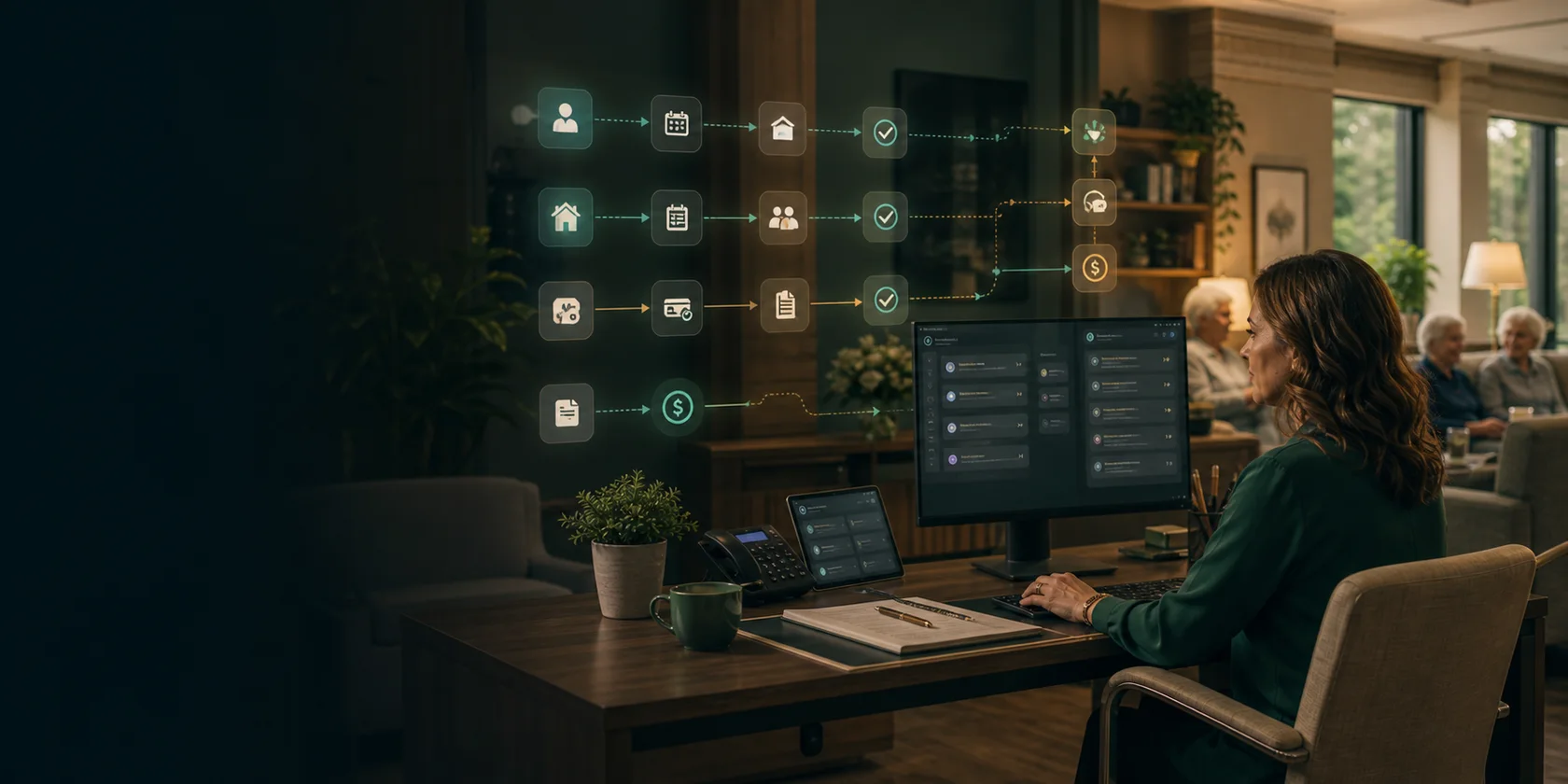
The senior living design feels like a warm community operations board: inquiries, referral sources, tour status, waitlists, move-in packets, resident assessments, care-plan handoffs, medication lists, room readiness, family messages, incident follow-up, billing questions, payments, and approval queues stay visible while automation avoids unreviewed clinical, safety, medication, level-of-care, pricing, discharge, or family-sensitive decisions.
Track inquiry source, referral partner, care need, budget, room preference, family contact, tour status, and follow-up owner.
Organize forms, deposits, assessment tasks, medication lists, care-plan handoffs, room setup, and missing documents.
Queue care-team tasks, family updates, incident follow-up, appointment reminders, transportation requests, and reviewed notes.
Prepare invoice questions, payment reminders, balance context, payer details, refund requests, and sensitive-message review.
Owner problem
Senior living AI automation works best when it prepares admissions, front desk, care coordination, billing, and director-reviewed work instead of making clinical, safety, medication, level-of-care, discharge, legal, pricing, or family-sensitive decisions. The first pilot should reduce slow inquiry follow-up, missed tours, incomplete move-in packets, scattered care handoffs, billing exceptions, and repetitive family updates while preserving staff control.
Classify inquiry source, referral partner, care need, budget, room preference, urgency, family contact, and next action.
Attach forms, deposits, assessment tasks, medication list status, care-plan handoffs, room readiness, and missing items.
Queue family messages, appointments, transportation, incident follow-up, billing questions, payments, and director review.
How we help
Map admissions, care, and revenue handoffs: Document where phone, web forms, referral sources, CRM, calendar, e-signature, assessments, EHR, care management, billing, payments, SMS, and email slow the community down.
Prepare reviewed senior living work: Use AI to classify inquiry intent, assemble tour and move-in context, draft reviewed family updates, organize resident coordination tasks, and queue billing, care, or director-review work.
Protect resident safety and sensitive communication: Require review for clinical concerns, safety issues, medication questions, level-of-care changes, discharge, incident narratives, pricing commitments, refunds, and family-sensitive messages.
Example case
The first implementation should be narrow enough to launch quickly and important enough to prove ROI. This example shows the kind of workflow we would validate during the consultation.
Problem: Senior living teams move between phone calls, website inquiries, referral partners, CRM, calendars, forms, assessments, EHR, care management, billing, payments, SMS, and email while families expect timely, careful updates.
Automation: AI classifies inquiry intent, prepares tour and move-in context, queues missing documents, drafts reviewed family updates, organizes resident coordination tasks, and routes billing, safety, medication, care, or director-review exceptions.
Guardrail: Clinical concerns, safety issues, medication questions, level-of-care changes, discharge decisions, incident narratives, payer promises, refunds, legal-sensitive updates, and family-sensitive messages remain staff, nurse, director, or billing-reviewed.
ROI model
Senior living AI workflow ROI should show up in faster inquiry response, more completed tour follow-up, better move-in packet readiness, fewer missing documents, cleaner resident coordination tasks, faster billing follow-up, and fewer manual staff touches.
Prospect and referral inquiries with source, care need, room preference, budget, family contact, urgency, and next action ready.
Forms, deposits, assessment tasks, medication list status, care handoffs, room readiness, billing setup, and missing items visible.
Family messages, care-team tasks, appointments, transportation requests, incident follow-up, and director-review queues organized.
Invoices, payments, balances, payer details, refund requests, responsible-party updates, and billing owner prepared.
Long term, the senior living community gets a guarded operations layer across phone, website, referral partners, CRM, calendar, e-signature, assessments, EHR, care management, billing, payments, SMS, email, family messages, and approval queues.
Fees
Start narrow, prove the workflow, then move to managed optimization only if the numbers work.
$1.5K-$4K
Senior living workflow map, admissions and care handoff review, system inventory, approval boundary, and pilot ROI estimate.
$8K-$30K
One inquiry, tour follow-up, move-in, family message, resident coordination, billing, payment, or document workflow with integrations and logs.
$3K-$12K/mo
Monitoring, sales and care-team feedback, occupancy reporting, family-message review, billing queue review, and expansion planning.
FAQ
Short answers for owners and operators deciding whether an AI workflow pilot is worth scoping.
Start with a repeated queue such as inquiry response, referral follow-up, tour reminders, move-in document collection, missing forms, assessment task prep, family message drafting, billing questions, payment follow-up, or resident coordination tasks.
No. AI can organize source context, flag missing items, and route tasks, but clinical concerns, care level changes, medication questions, safety issues, discharge decisions, and incident narratives should remain nurse, staff, director, or clinician-reviewed.
Useful metrics include inquiry response time, tour conversion, move-in packet completion, missing document rate, family message backlog, resident task coverage, billing follow-up movement, staff touches removed, and correction rate.
Workflow guides
Deeper pages for specific workflows, search intent, integrations, guardrails, and measurable ROI.
Build senior living inquiry, tour, and move-in AI workflow automation for referrals, family follow-up, document collection, move-in readiness, staff review, and ROI reporting.
Senior LivingAssisted Living Care Coordination and Billing AI Workflow AutomationBuild assisted living care coordination and billing AI workflow automation for family messages, resident tasks, incident follow-up, invoices, payments, staff review, and ROI reporting.
Services
Connect the industry page to the commercial services that plan the workflow, build the guarded pilot, define approval controls, and measure ROI.
AI workflow automation consulting for businesses that need workflow mapping, AI agent implementation, human approval guardrails, and measurable ROI reporting.
Workflow implementationAI Workflow Automation ImplementationAI workflow automation implementation for businesses ready to turn one mapped workflow into AI agents, integrations, approval queues, launch support, and ROI reporting.
Automation guardrailsAI Automation GuardrailsDesign AI automation guardrails for business workflows with approval rules, source evidence, audit logs, permissions, fallback handling, and exception queues.
ROI auditAI Workflow ROI AuditAI workflow ROI audit for businesses that need to identify the first automation pilot, estimate value, rank workflows, and avoid low-ROI AI projects.
Implementation plan