Emergency intake
Capture loss type, urgency, property access, photos, source-of-loss notes, insurance details, occupants, and after-hours status.
Restoration operations
Automate restoration companies: emergency intake, mitigation dispatch, water damage documentation, moisture logs, estimate packets, guardrails, ROI, and pricing.
Restoration model
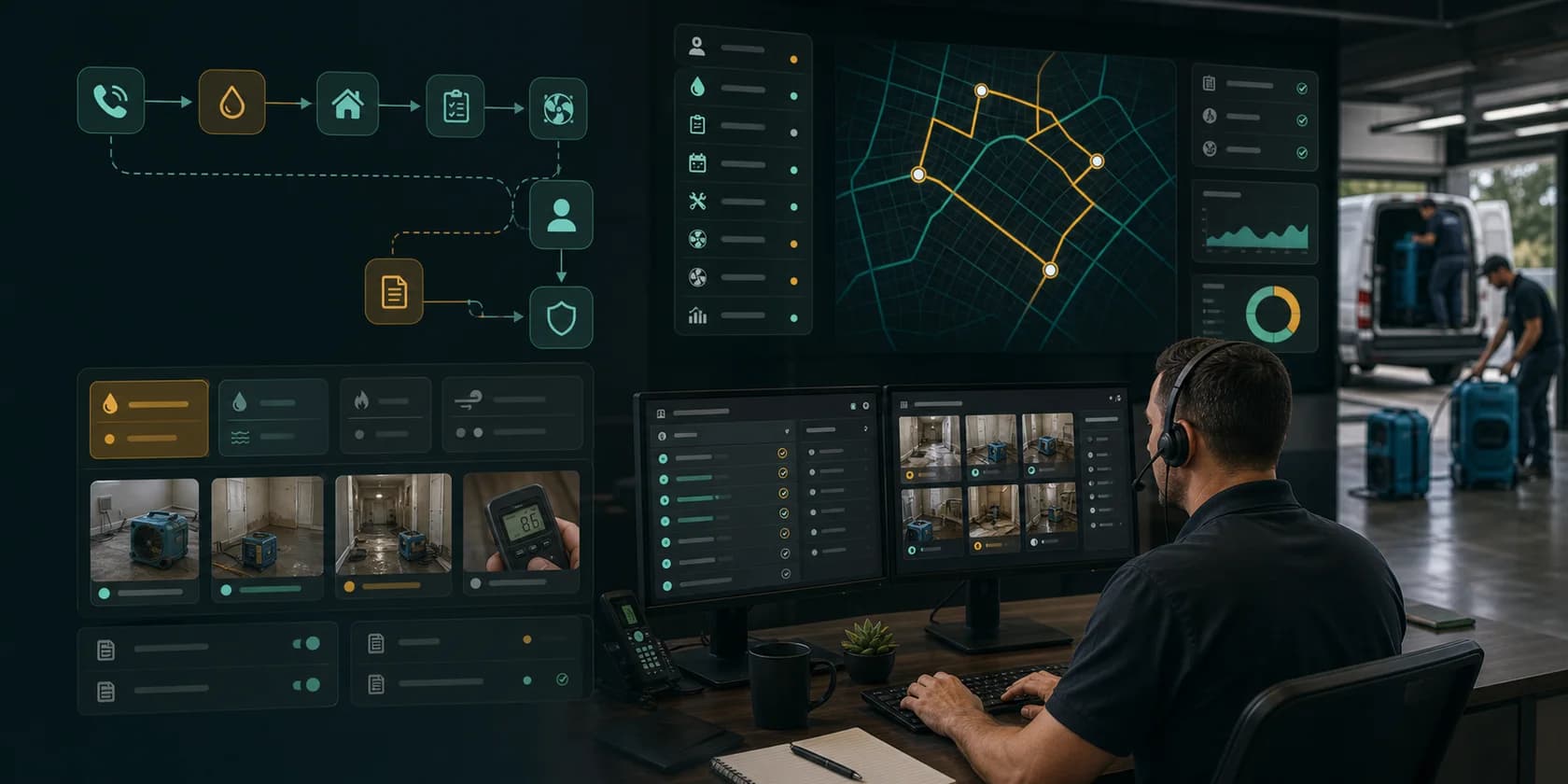
The restoration design feels like a mitigation command center: emergency leads, source-of-loss notes, photos, moisture readings, equipment tasks, drying logs, estimate packets, supplement context, customer updates, and approval queues stay visible while automation avoids unreviewed coverage, pricing, mold, hazmat, structural, liability, warranty, or promise-sensitive claims.
Capture loss type, urgency, property access, photos, source-of-loss notes, insurance details, occupants, and after-hours status.
Prepare crew routing, equipment needs, moisture reading tasks, drying log reminders, photo checklists, and customer updates.
Assemble photos, notes, scope context, estimate status, supplement tasks, adjuster communication, and missing evidence.
Hold coverage, scope, pricing, mold, asbestos, lead, structural safety, liability, warranty, and commitment-sensitive language.
Owner problem
Restoration AI automation works best when it prepares CSR, dispatcher, estimator, project manager, and owner-reviewed work instead of making unapproved coverage, scope, pricing, mold, hazmat, structural, liability, warranty, or customer-promise decisions. The first pilot should reduce missed emergency leads, documentation gaps, stale estimate follow-up, supplement delays, and office admin while preserving review control.
Classify water, fire, mold, storm, board-up, emergency, rebuild, contents, commercial, residential, or insurance-related intent.
Attach property context, photos, source-of-loss notes, crew route, equipment hints, moisture task status, and customer updates.
Prepare photos, drying logs, estimate context, supplement tasks, missing-evidence reminders, and manager-reviewed packets.
How we help
Map intake and documentation queues: Document where phone, web forms, CRM, restoration software, photo apps, moisture logs, estimating tools, email, and invoices slow the job down.
Prepare reviewed work: Use AI to classify loss intent, summarize property context, draft customer updates, prepare mitigation handoffs, and queue documentation packets.
Protect claims and safety: Require review for coverage language, scope changes, pricing, mold or hazmat language, structural safety, warranties, guarantees, and customer commitments.
Example case
The first implementation should be narrow enough to launch quickly and important enough to prove ROI. This example shows the kind of workflow we would validate during the consultation.
Problem: Restoration teams move between phone calls, web forms, CRM, restoration software, photo apps, moisture logs, estimating tools, email, invoices, and adjuster communication while customers expect urgent response.
Automation: AI classifies loss intent, prepares property and dispatch context, summarizes photos and drying notes, drafts reviewed customer updates, queues missing-evidence tasks, and assembles estimate or supplement review packets.
Guardrail: Coverage language, scope changes, pricing, mold or hazmat claims, structural safety statements, liability language, warranties, guarantees, refunds, and customer-facing commitments remain manager or owner-reviewed.
ROI model
Restoration AI workflow ROI should show up in faster emergency response, cleaner mitigation handoffs, fewer missing photos or drying notes, faster estimate and supplement movement, fewer manual office touches, and fewer missed customer updates.
Time from missed call, form, referral, after-hours request, or insurance assignment to reviewed dispatch task or customer reply.
Jobs with loss type, photos, access notes, source-of-loss context, crew assignment, equipment hints, and customer update ready.
Files with required photos, moisture readings, drying notes, scope context, estimate status, and reviewer action visible.
Estimates, supplements, missing-evidence requests, adjuster follow-up, and customer approvals with reviewed tasks prepared.
Long term, the restoration company gets a guarded operations layer across phone, forms, CRM, restoration software, dispatch boards, photo apps, moisture logs, estimating tools, email, invoices, review platforms, and approval queues.
Fees
Start narrow, prove the workflow, then move to managed optimization only if the numbers work.
$1.5K-$4K
Restoration workflow map, intake and documentation review, emergency volume model, approval boundary, and pilot ROI estimate.
$9K-$35K
One emergency intake, mitigation dispatch, documentation, estimate, supplement, invoice, or review workflow with integrations and logs.
$4K-$15K/mo
Monitoring, seasonal storm tuning, CSR and project manager feedback, documentation reporting, estimate workflow improvements, and expansion planning.
FAQ
Short answers for owners and operators deciding whether an AI workflow pilot is worth scoping.
Start with a repeated queue such as emergency intake, missed-call follow-up, mitigation dispatch, photo checklist reminders, moisture log packet prep, estimate follow-up, supplement tasks, invoice handoff, or review requests.
AI can prepare context, summaries, and drafts, but coverage language, scope changes, pricing, mold or hazmat claims, structural safety, warranties, guarantees, and customer commitments should stay manager or owner-reviewed.
Useful metrics include emergency response speed, mitigation readiness, photo and moisture log completeness, estimate movement, supplement follow-up, office touches removed, invoice handoff speed, and correction rate.
Workflow guides
Deeper pages for specific workflows, search intent, integrations, guardrails, and measurable ROI.
Build water damage mitigation dispatch AI workflow automation for emergency intake, source-of-loss notes, crew routing, equipment context, moisture tasks, customer updates, and ROI reporting.
RestorationRestoration Job Documentation and Estimate AI Workflow AutomationBuild restoration job documentation and estimate AI workflow automation for photos, moisture logs, drying notes, scope context, estimate follow-up, supplement packets, and ROI reporting.
Services
Connect the industry page to the commercial services that plan the workflow, build the guarded pilot, define approval controls, and measure ROI.
AI workflow automation consulting for businesses that need workflow mapping, AI agent implementation, human approval guardrails, and measurable ROI reporting.
Workflow implementationAI Workflow Automation ImplementationAI workflow automation implementation for businesses ready to turn one mapped workflow into AI agents, integrations, approval queues, launch support, and ROI reporting.
Automation guardrailsAI Automation GuardrailsDesign AI automation guardrails for business workflows with approval rules, source evidence, audit logs, permissions, fallback handling, and exception queues.
ROI auditAI Workflow ROI AuditAI workflow ROI audit for businesses that need to identify the first automation pilot, estimate value, rank workflows, and avoid low-ROI AI projects.
Implementation plan